> ## Documentation Index
> Fetch the complete documentation index at: https://docs.modo.link/llms.txt
> Use this file to discover all available pages before exploring further.
# How to Use API
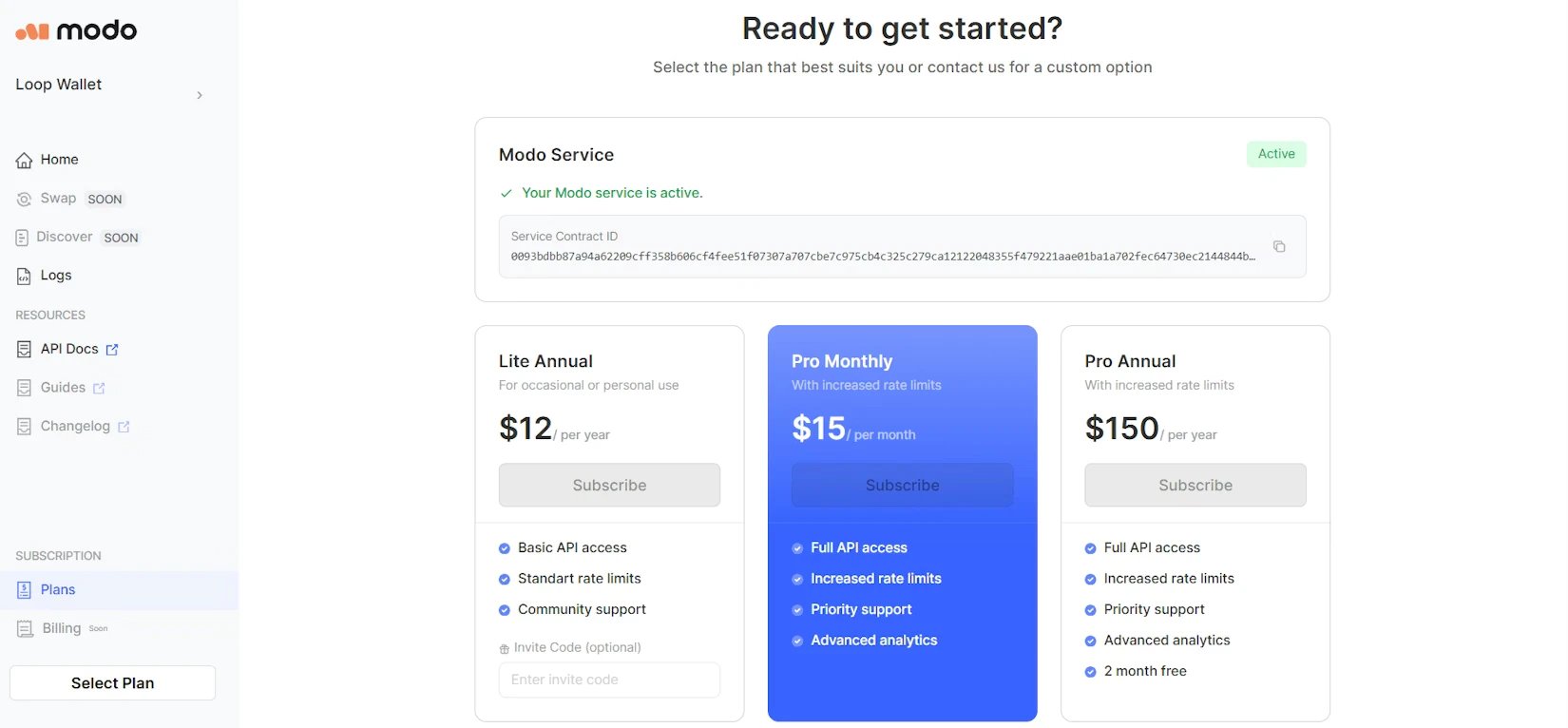
To start using [Modo API](https://app.modo.link/home), you have to select a subscription plan.
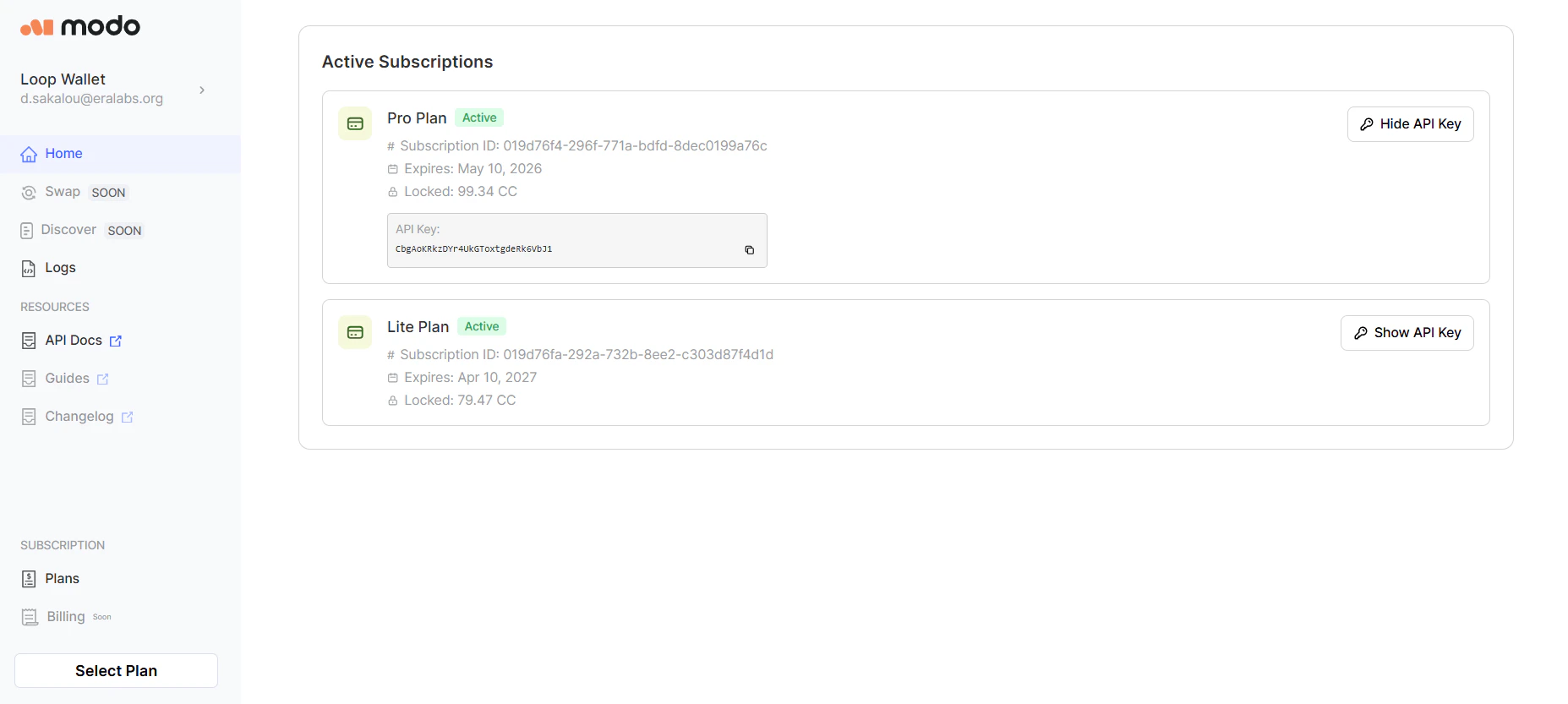
 Use the assigned API key.
 Go to the [Canton API reference page](https://docs.modo.link/api-reference/events/get-events-list) of the API Documentation. Now, with the API key you've got, you can pick any endpoint to run.
.png?fit=max&auto=format&n=57CRuKycPL1HNBla&q=85&s=f94d259db3b079282bd804c3d325f7e2) # Query Params
You have to specify the required parameters. They are marked with a tag and usually are: ***sortBy***, ***page***, ***size***, ***order***, and ***path*.**
You can also fill in the optional parameters to get a more targeted request.
# Query Params
You have to specify the required parameters. They are marked with a tag and usually are: ***sortBy***, ***page***, ***size***, ***order***, and ***path*.**
You can also fill in the optional parameters to get a more targeted request.
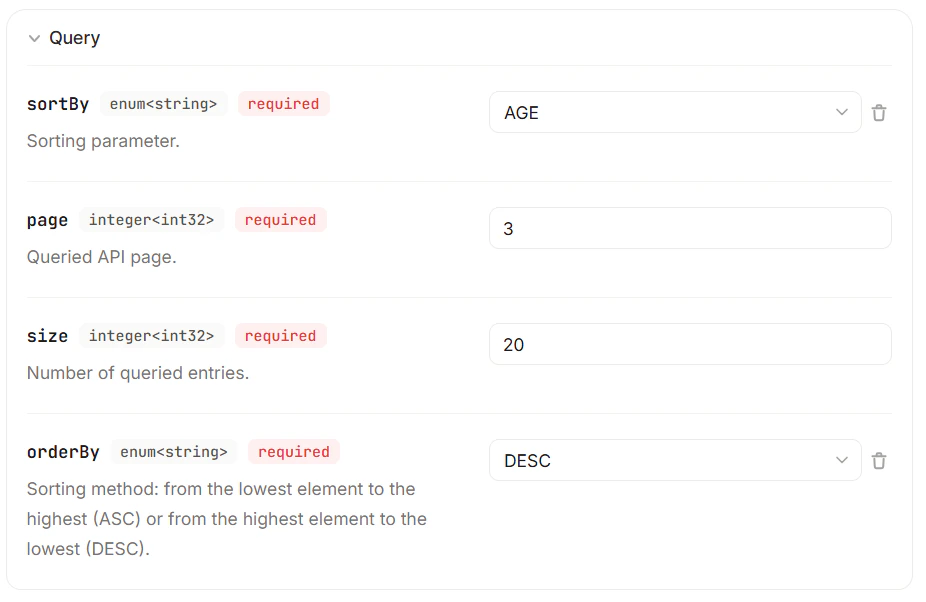 Unless you fill in all the required fields, the request won't work, and you'll get an error.
Modo API is here for you. Get the data you need!
Read more:
Read about the pagination principles Modo API uses.
Check the most common API errors and codes.
Read more about Modo API – a data platform on Canton.
View your API statistics in the API Dashboard.
Unless you fill in all the required fields, the request won't work, and you'll get an error.
Modo API is here for you. Get the data you need!
Read more:
Read about the pagination principles Modo API uses.
Check the most common API errors and codes.
Read more about Modo API – a data platform on Canton.
View your API statistics in the API Dashboard.