> ## Documentation Index
> Fetch the complete documentation index at: https://docs.modo.link/llms.txt
> Use this file to discover all available pages before exploring further.
# Transaction Statuses
The Sui Network is renowned for its high transaction speed, with an average TPS of over 100 and an all-time high TPS of 297,000. Transaction blocks come in 3 statuses:
* **Success**
* **Failure**
* **Abort**
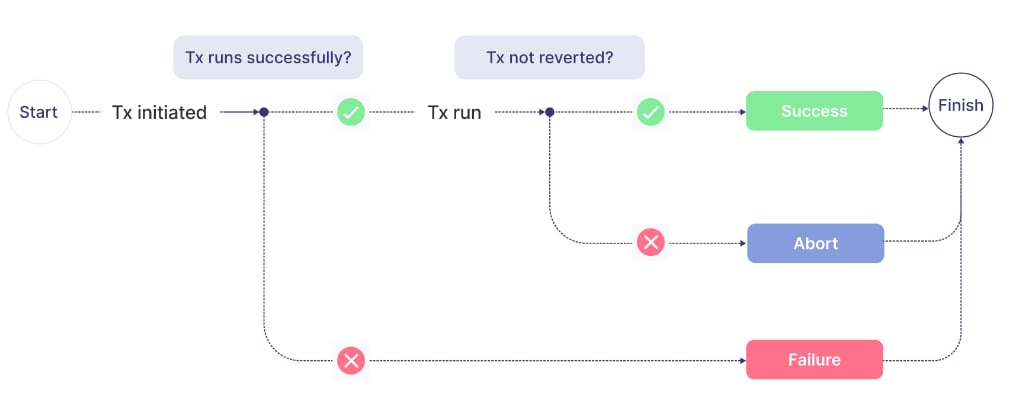
When a transaction is initiated, it runs almost instantly. If it runs successfully, it gets the **Success** status; otherwise, it gets the **Failure** status. However, there's a case when a transaction was intentionally halted, reverting all changes made up to that point. Such a transaction gets the **Abort** status (see figure below).
 In the Move programming language, the abort keyword is used to abort a transaction, and there is no catch mechanism; once aborted, the transaction is considered failed.
A **failure transaction** occurs when a transaction cannot be completed successfully due to errors or unmet conditions. The changes are not applied, and the transaction does not commit to the blockchain.
An **abort transaction** is a specific type of failure transaction in which the transaction is intentionally halted using the abort keyword, reverting all changes made up to that point.
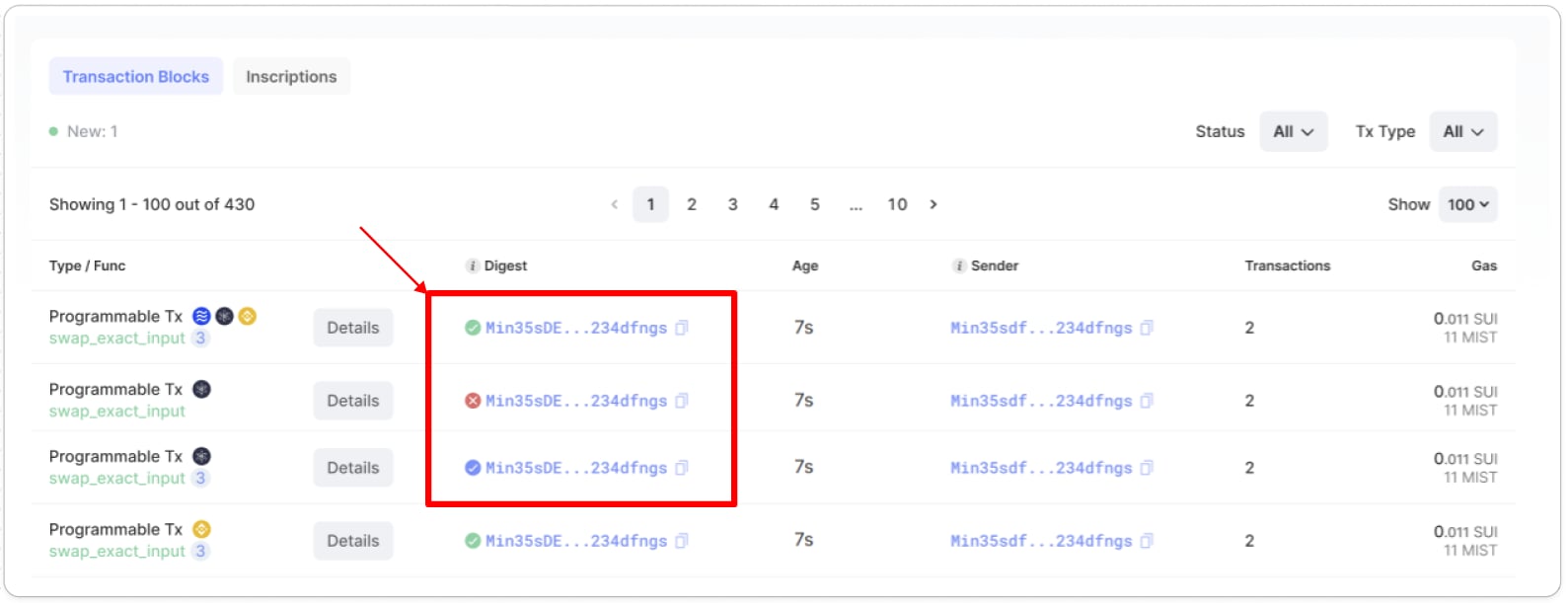
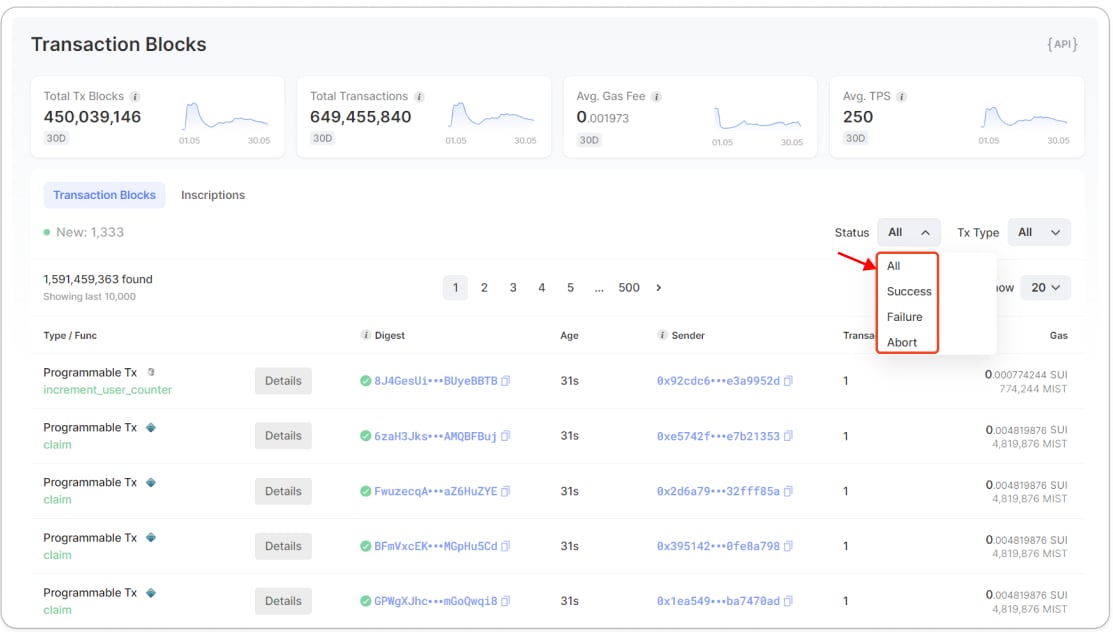
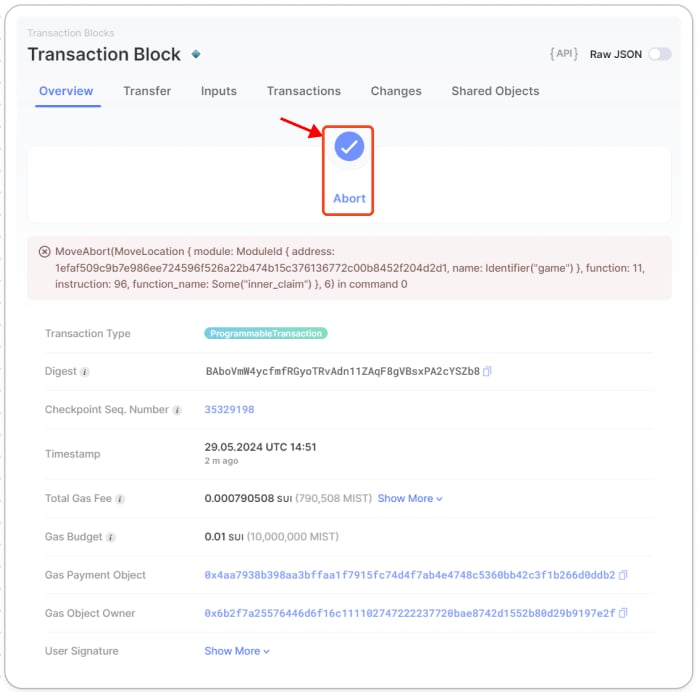
Suiscan tracks and shows the **Success**, **Failure**, and **Abort** statuses of both transaction blocks and inscriptions on the [transaction list page](https://suiscan.xyz/mainnet/txs/tx-blocks "https://suiscan.xyz/mainnet/txs/tx-blocks") and on the [transaction details page](https://suiscan.xyz/mainnet/tx/39g9K6hVC2i73FwrmLYnQi2FpdQEMbt8FfCyWKKv57JA "https://suiscan.xyz/mainnet/tx/39g9K6hVC2i73FwrmLYnQi2FpdQEMbt8FfCyWKKv57JA"), as illustrated in the images below. You can filter the entries by status.
In the Move programming language, the abort keyword is used to abort a transaction, and there is no catch mechanism; once aborted, the transaction is considered failed.
A **failure transaction** occurs when a transaction cannot be completed successfully due to errors or unmet conditions. The changes are not applied, and the transaction does not commit to the blockchain.
An **abort transaction** is a specific type of failure transaction in which the transaction is intentionally halted using the abort keyword, reverting all changes made up to that point.
Suiscan tracks and shows the **Success**, **Failure**, and **Abort** statuses of both transaction blocks and inscriptions on the [transaction list page](https://suiscan.xyz/mainnet/txs/tx-blocks "https://suiscan.xyz/mainnet/txs/tx-blocks") and on the [transaction details page](https://suiscan.xyz/mainnet/tx/39g9K6hVC2i73FwrmLYnQi2FpdQEMbt8FfCyWKKv57JA "https://suiscan.xyz/mainnet/tx/39g9K6hVC2i73FwrmLYnQi2FpdQEMbt8FfCyWKKv57JA"), as illustrated in the images below. You can filter the entries by status.
 To learn more how transactions run on Sui, please go [here](https://docs.blockberry.one/docs/transaction-flow "https://docs.blockberry.one/docs/transaction-flow").