

Live Monitoring
Follow platform activity as it happens and keep system behavior visible in real time.
Faster Debugging
Identify failed calls, response issues, and unusual patterns without leaving the dashboard.
Request Logs
Review every API call in one place with method, status, timing, and request details.
Performance Tracking
Measure response times and monitor API behavior across different requests and environments.
Overview
Plans
This is where access starts. You see available plans with pricing, limits, and included features. Each plan defines how much data you can use, how fast requests are processed, and what level of support you get. Current structure:- Lite Annual – basic API access for occasional or personal use
- Pro Monthly – full API access with increased rate limits
- Pro Annual – full API access with increased rate limits and annual pricing advantage
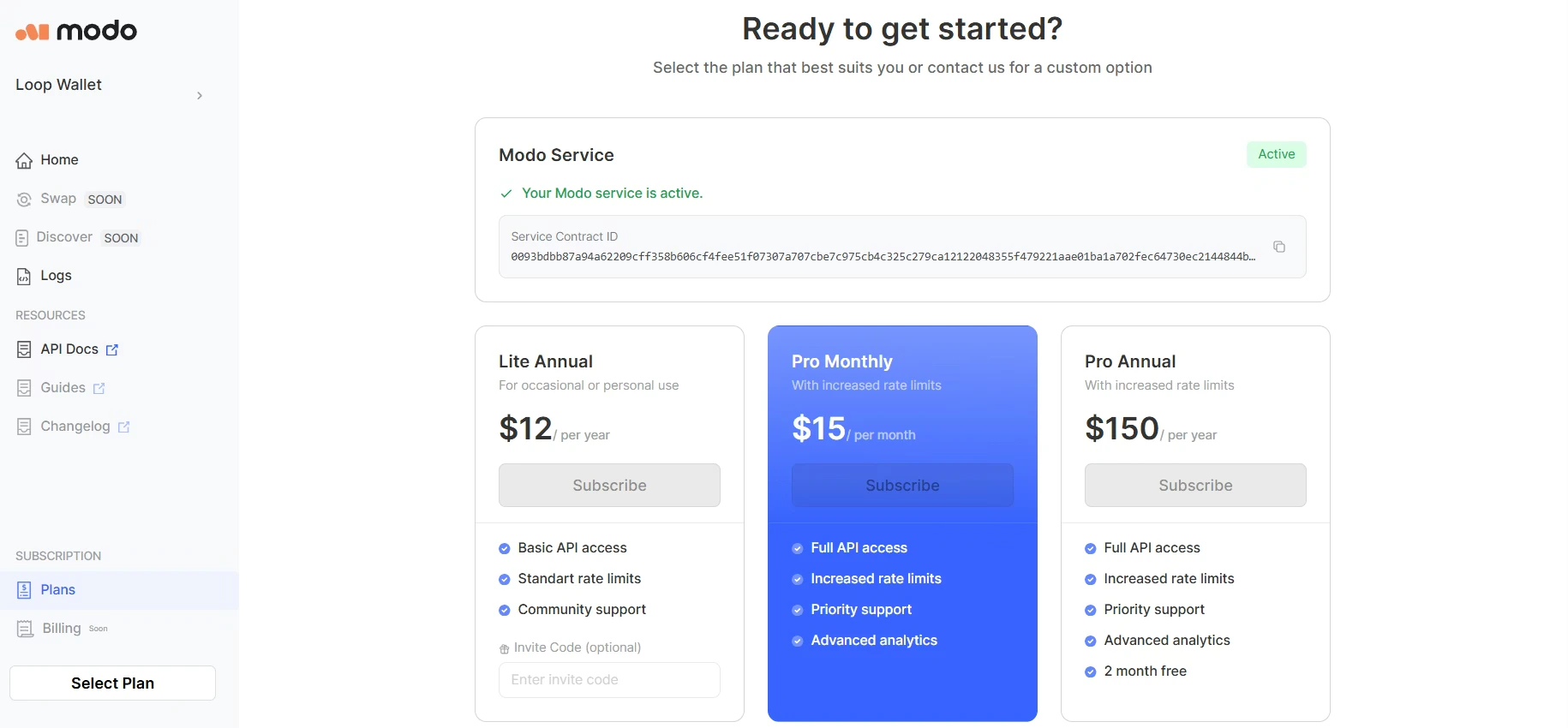
You can activate more than one subscription if one is not enough.
Subscriptions
After activation, every subscription appears as a separate unit. This view is important when you scale usage. Instead of mixing everything together, each subscription stays visible and traceable.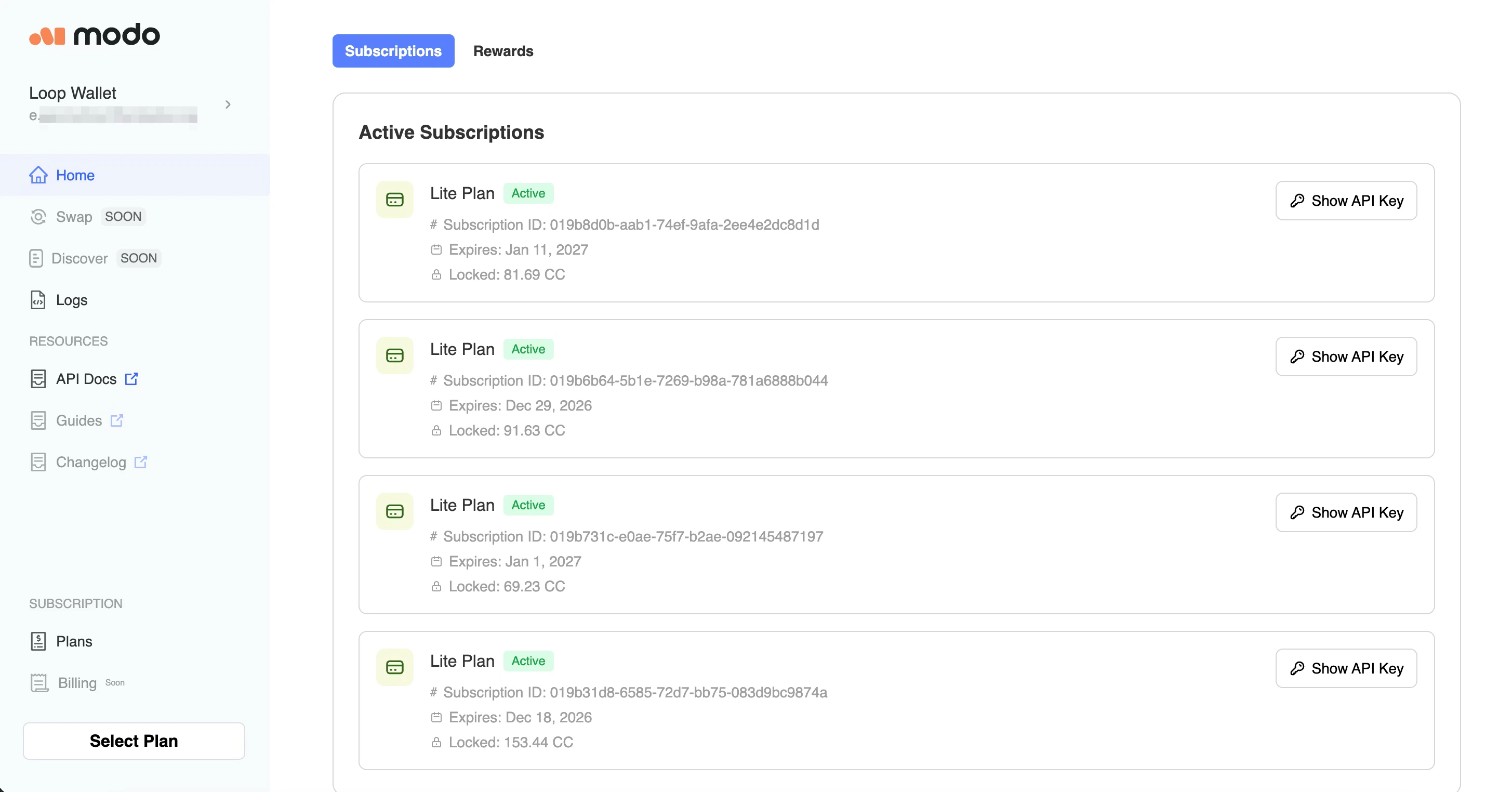
Logs
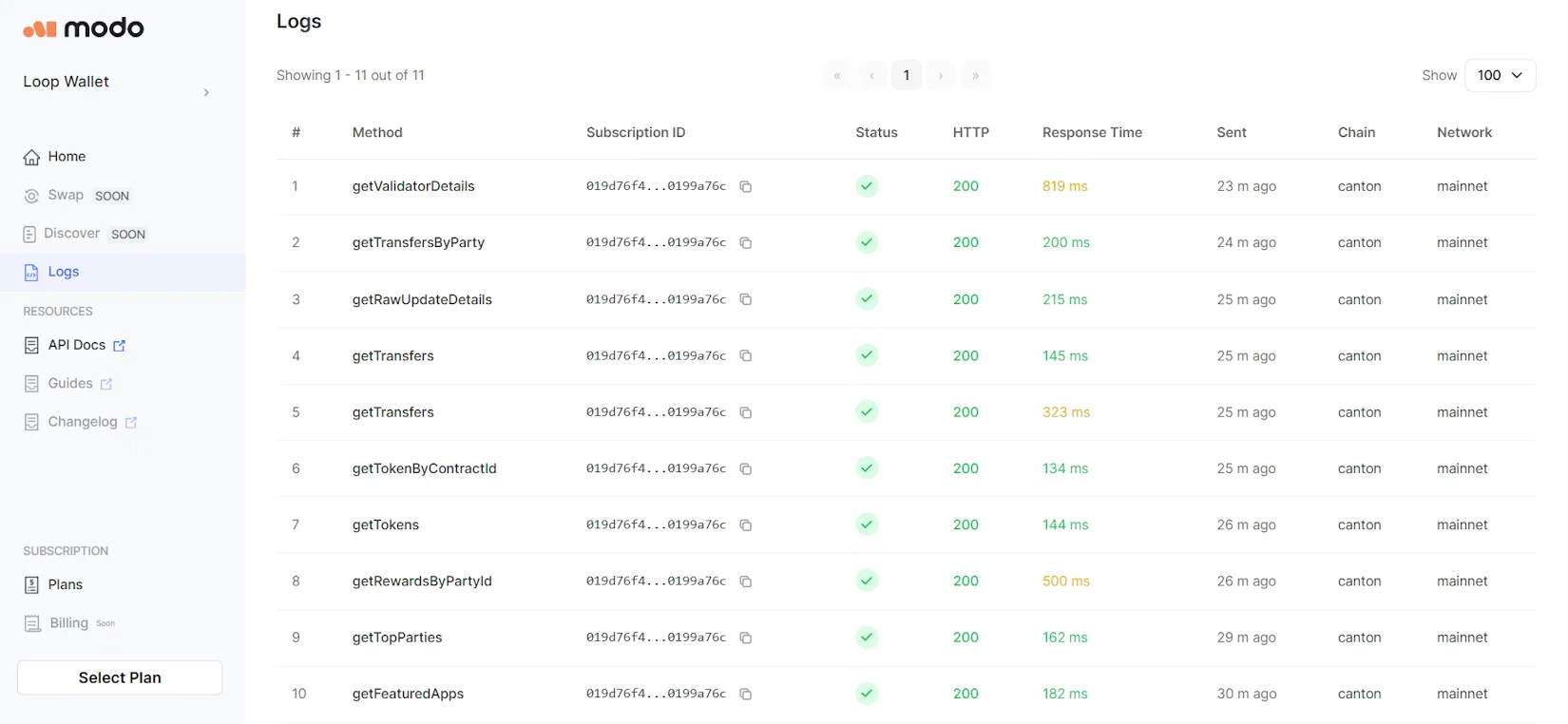
Logs show what is actually happening. Every API request is recorded with:- method name;
- subscription used;
- status and HTTP code;
- response time;
- timestamp;
- chain and network.
More powerful monitoring, analytics, and control features are on the way, expanding what you can do inside the Developer Dashboard!