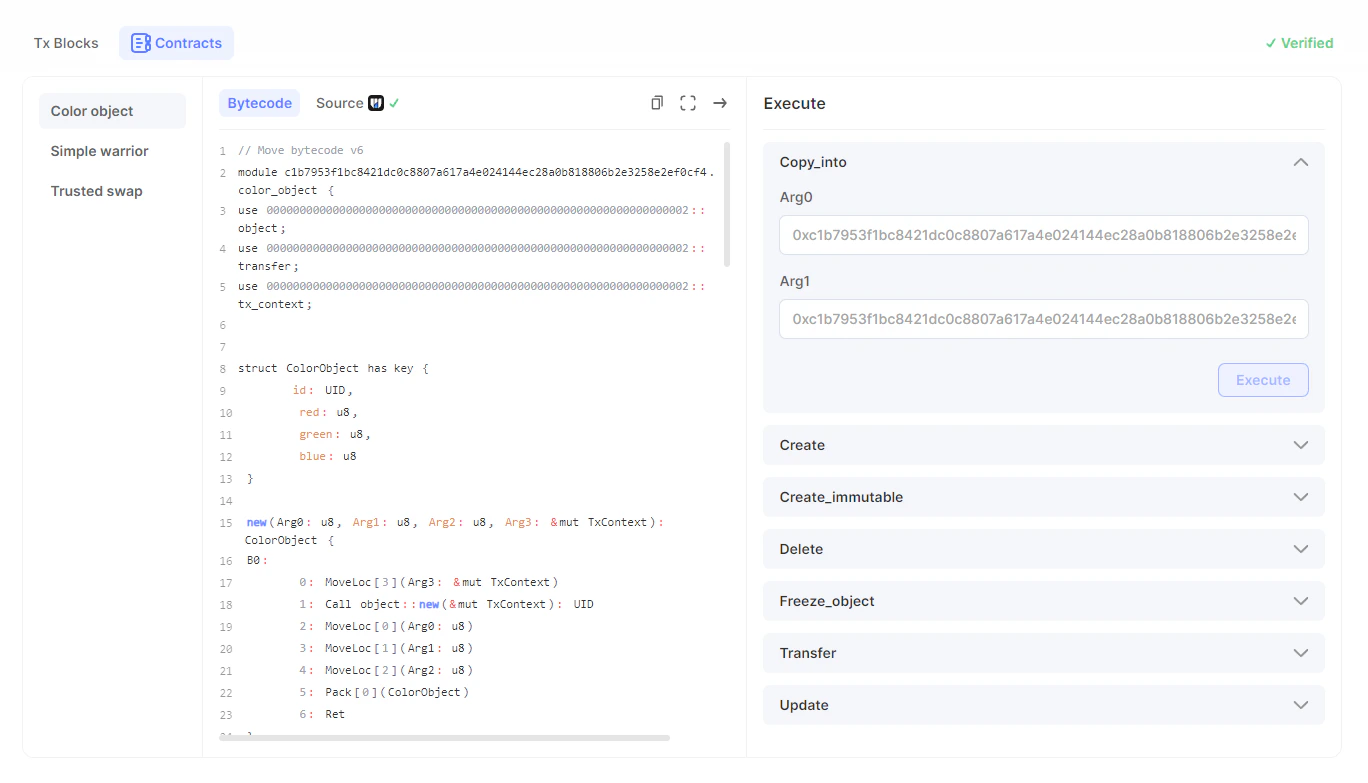
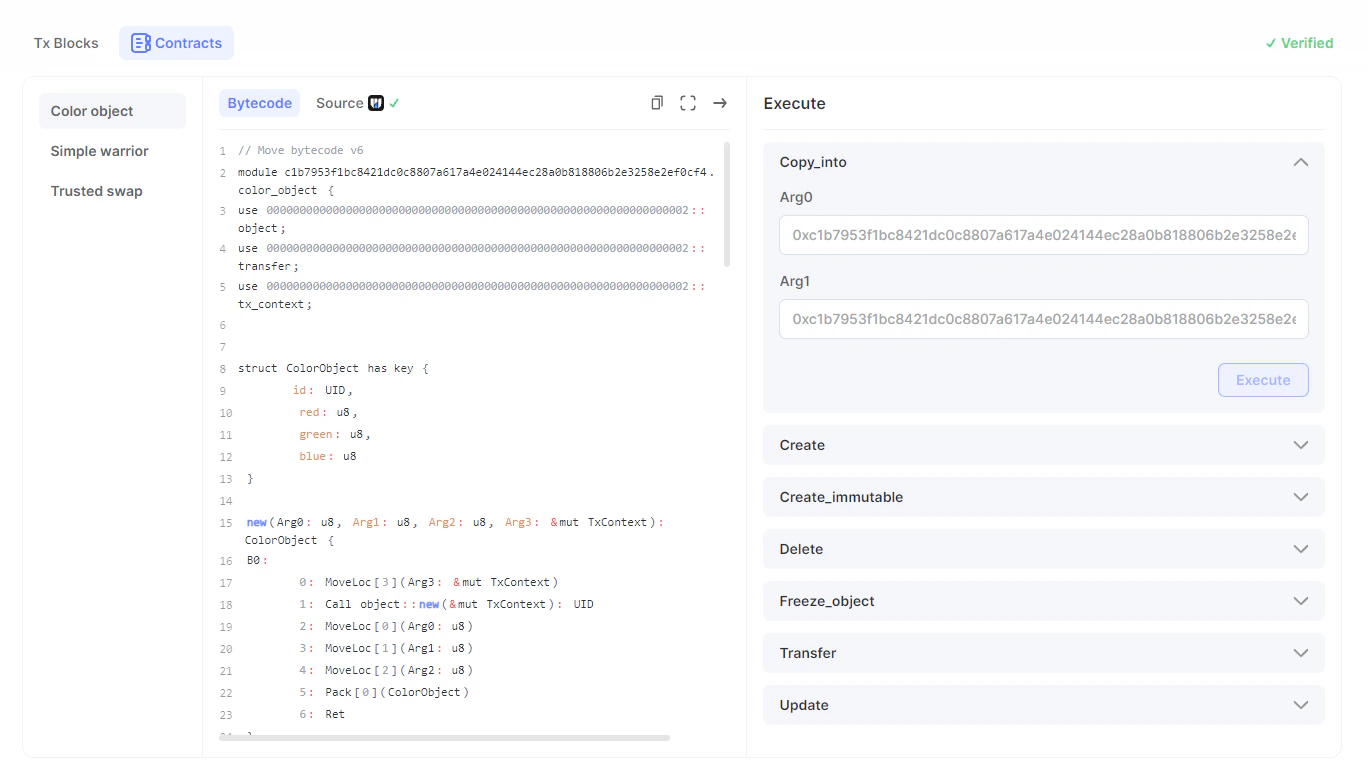
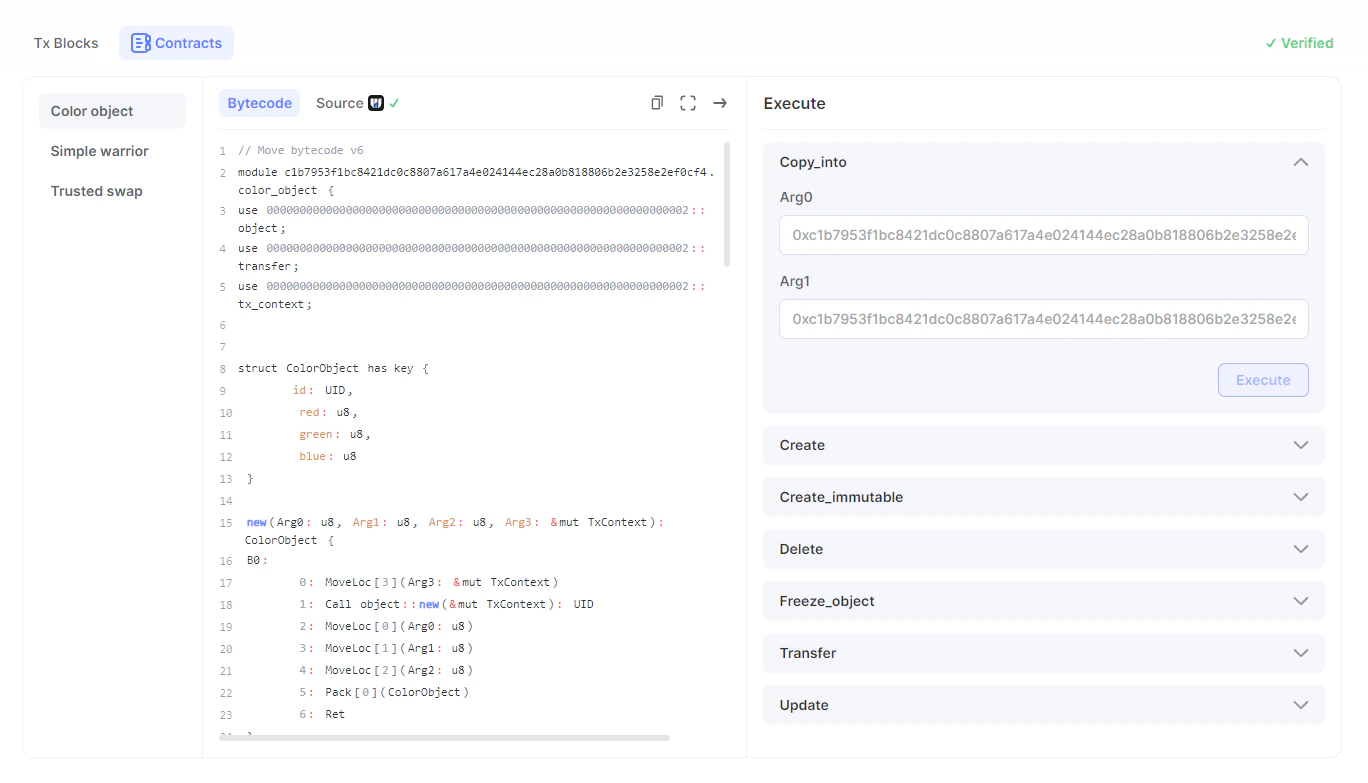
A transaction is an instance of calling a specific module of a package (equivalent to a smart contract on Sui) to execute a particular function.There are several ways you can run a transaction:
If the package is verified, it will have the Verified tag. For more information on package verification, go here.
1.1. On the left side of the screen, you can see a list of modules. Select the module containing the function or functions you want to execute. In the middle of the page, you can see the source code for the selected module of the package.
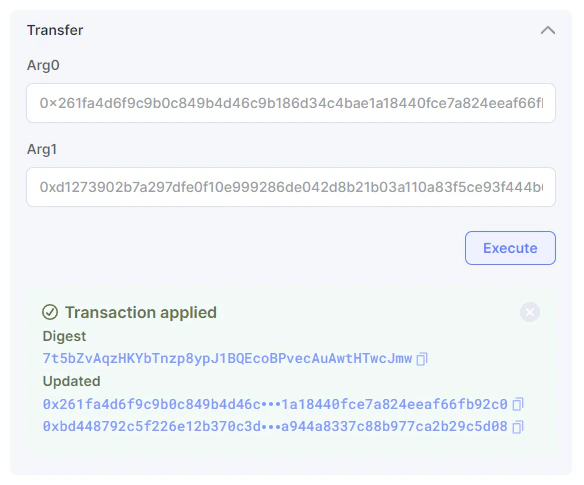
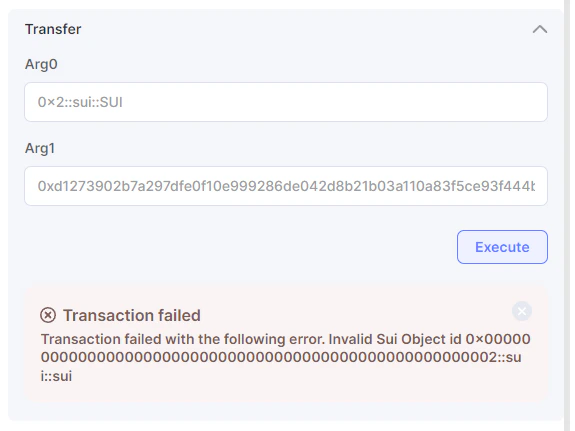
1.2. On the right side of the screen, you can see a list of functions the selected module can execute. Click on the function you want to execute, fill in the fields, and click the Execute button.
Make sure your wallet is connected. If not, connect your wallet.
Please make sure you enter the correct values in the fields and that you have sufficient funds to cover the transaction fees. Otherwise, the transaction will fail.
Assistant
Responses are generated using AI and may contain mistakes.